At a glance
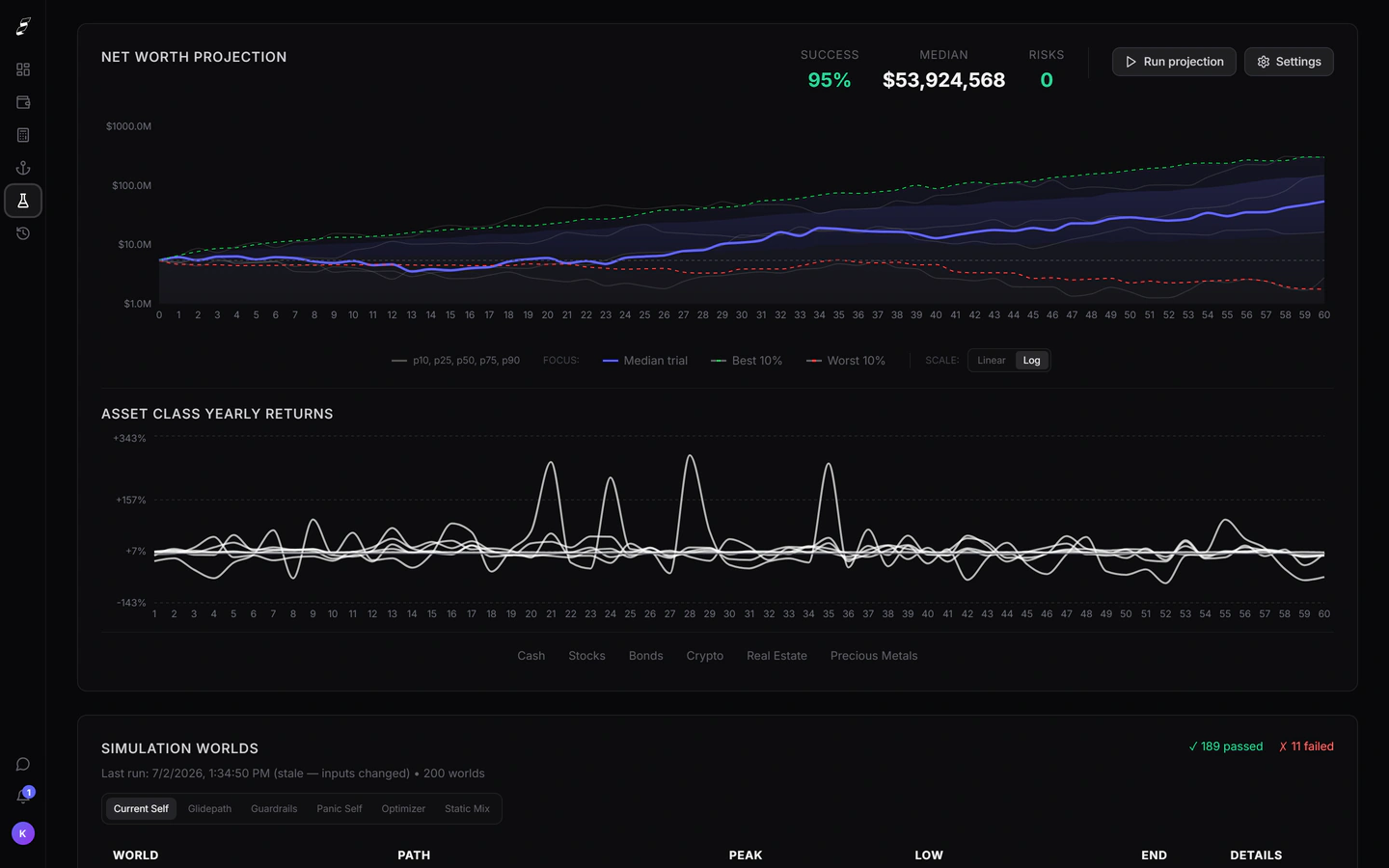


Killion is planning and simulation software with read-only account linking. ProjectionLab is described below in its own terms. Where a figure is quoted it comes from the vendor's published pricing and was checked on the date shown.
| Killion | ProjectionLab | |
|---|---|---|
| Individual price | $14/mo, or $11/mo billed annually ($132/yr). Max tier $24/mo or $19/mo annually. | Free Basic tier. Premium $129/yr. Lifetime $1,199 one-off. Advisor tier $549/yr. 7-day trial on paid plans. |
| Free entry point | Live no-signup Monte Carlo demo on a fictional household, plus a 5-day free trial of the full product. Card required for the trial; no charge until it ends. | Free Basic plan with core planning, Monte Carlo and backtesting, no card required. |
| Account linking | Read-only brokerage and crypto linking via SnapTrade. Cash and bank balances are entered manually while automatic bank linking moves to a new provider. | Optional account linking; manual entry is the default path. |
| Simulation method | 1,000-path regime-switching Monte Carlo with fixed seeds, so a run reproduces. | Monte Carlo and historical backtesting across a large number of trials. |
| Historical backtesting | Historical backtesting against real market data going back to 1928. | Yes, historical market sequences. |
| Withdrawal rules | Nine named rules: fixed real dollar, fixed percentage, Guyton-Klinger, Vanguard dynamic, endowment smoothing, VPW, CAPE-based, risk-based guardrails, and Merton. | Configurable withdrawal and spending strategies. |
| AI assistant | Built-in AI assistant with access to your connected holdings and plan. | Not a core part of the product. |
| Human advice | None. Killion is software; it is not a registered investment adviser. | None for individuals; a separate tier serves advisors. |
ProjectionLab details checked on against the ProjectionLab pricing page. Vendors change prices; verify before deciding.
The real difference is how your data gets in
ProjectionLab is built around a manual-first model: you describe your accounts, income and plan, and the tool projects from there. That is a deliberate design choice and it appeals strongly to people who do not want a third party holding a connection to their brokerage.
Killion starts from the opposite end. Brokerage and crypto accounts link read-only through SnapTrade — Killion can see positions and transactions and cannot trade, transfer or withdraw — while cash balances are entered by hand for now, with automatic bank linking paused during a provider change. The projection then runs against the holdings you actually have rather than the ones you remembered to update.
Neither approach is better in the abstract. If you rebalance twice a year and enjoy the spreadsheet, manual entry costs you nothing. If you hold a dozen positions across four brokerages and equity comp, keeping a manual model current is the reason most plans go stale.
What the simulation is doing underneath
Most Monte Carlo engines draw each year independently from a single return distribution. That produces a clean cone of outcomes, but it systematically understates the thing that actually breaks retirements: several bad years arriving in a row, early.
Killion runs a regime-switching model instead. Returns are drawn from a distribution that itself shifts between calm and stressed states with persistence, so bad years cluster the way they did in 1929, 1973 and 2000. Runs use fixed seeds, so the same inputs produce the same output and a number in a report can be reproduced later.
Killion also backtests against real market history to 1928, which is a different question from Monte Carlo: not "what could happen" but "what would have happened to this exact plan in every starting year on record".
Price, honestly
On annual billing these two land within a few dollars of each other, so price is unlikely to be the deciding factor. The meaningful difference is at the bottom of the range: ProjectionLab has a free tier that does real work, and Killion does not. Killion’s first plan includes a 5-day free trial of the full product.
If cost is the binding constraint, start with the free tier elsewhere. If the binding constraint is keeping a plan current across several accounts, that is the problem Killion is built for.
Which one to choose
Choose Killion if
- You want positions and balances pulled in read-only rather than typed and re-typed each quarter.
- You want the same run to reproduce exactly — fixed seeds, a stated engine, a methodology page you can read.
- You want an AI assistant that can answer questions against your actual holdings.
- You want your budget and spending feeding the same projection instead of living in a separate app.
Choose ProjectionLab if
- You want to start at zero cost and stay there — the free Basic plan is genuinely usable.
- You would rather keep financial accounts unlinked and enter everything by hand.
- A one-off lifetime licence suits you better than a subscription.
- You are an adviser looking for a client-facing planning tool.